Insta360 Part 1
This is a new adventure for me, 3D video,1 better known as 360 degree videos. The means for that is a camera that takes videos in 360 degrees, in my case the Insta360 X3 camera. I have been reluctant to acquire one of those as I didn’t know if I could edit and process the resultant video from the camera in Linux, specifically Fedora 42. I have searched the Internet high and low, only to find very few successful posts from folks that have managed to actually set up a working copy using Linux. Things were not looking very bright. And really, what would be the use of recording video in 360 without the ability to do something with it? It is fairly sad the developers have neglected to make a native application, what with the fairly wide interest in such a program being available. I suspect many Linux users would acquire one of those cameras if they didn’t have to jump through hoops to get a piece of software to work.
Great news! I have managed to set up a toolchain that will process that type of video (insv format)2.
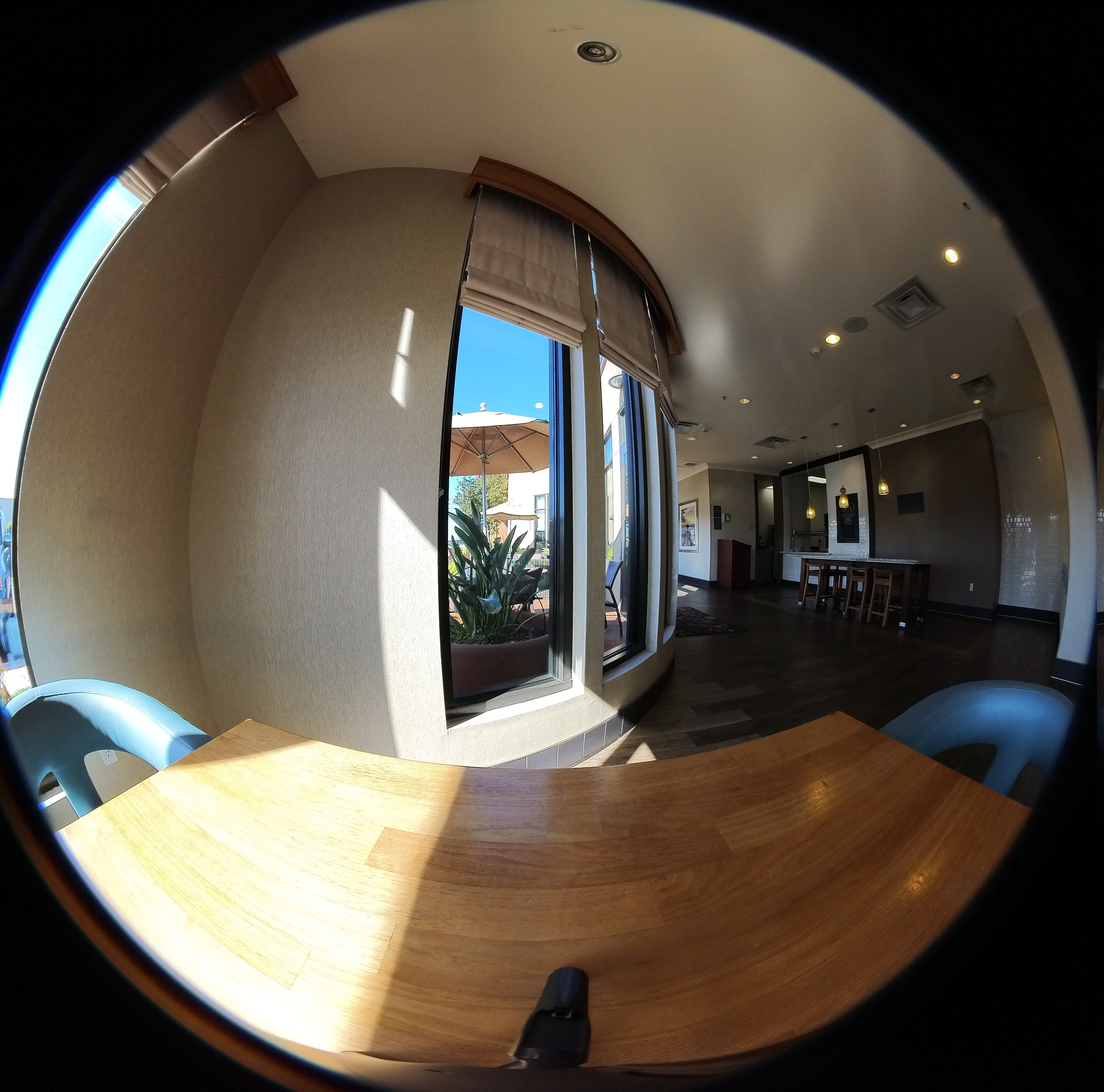
The above image is only half of the renamed INSV file. I only wished to determine if it were viewable as an MP4 file. If a fish could walk into a hotel, he might view a similar scene.
Disclaimer: I did not figure out how to do that, but on the Insta360 forum, I ran across a procedure that actually worked for Fedora 42. So, I include that post (slightly modified) here:
Install Bottles, ProtonUp-QT, and Flatseal (flatpaks):

- flatpak install net.davidotek.pupgui2
- flatpak install flathub com.github.tchx84.Flatseal
- flatpak install flathub com.usebottles.bottles

Make the following changes to Bottles via the Flatseal GUI:

- enable printing system,
- GPU acceleration,
- shared memory,
- Controller Area Network Bus,
- All user files,
- Background and Notifications.

Add the following directory to
  'other files': ~/.local/share/applications

Open ProtonUp-QT, select your Bottles Installation and click 'add version'.

Select 'GE-Proton', and 'GE-Proton10-1'.

Once it's done installing, close ProtonUp-QT.

Open Bottles, and create new bottle - select 'Application'.

Once the bottle has been created, click 'settings' and select GE-Proton10-1 as the runner. It should enable
  Steam runtime, if it didn't - enable Steam runtime.

Go back, and select 'dependencies'.

Install: allfonts, iertutil, urlmon, webview2, winhttp, wininet.

Go back, select 'run executable' and select the downloaded Insta360 studio software.
Some of the dependencies are large and take some time to download (I presume from the usual Microsoft bloat). Several things I changed in Bottles that worked was using GE-Proton10-15, which worked the same as GE-Proton10-1. I also changed the default Windows version from 10 to 11, which seemed to work fine too.
So, I managed to download a few sample files, one a still shot and another an actual video.3
I tried manipulating the files in various ways and exporting the results. I rendered separate videos for left and right sides of the original video, I took several still shots which I then stitched together using Hugin. Using Kdenlive, I placed the two left/right videos into one, to see both sides at the same time (that was weird). All the renderings went fairly fast from the Insta360 software with no problems. Even Kdenlive rendered the files fairly quickly, and the file sizes were not huge.
I was unable to get a desktop shortcut to work, which I chalk up to my unfamiliarity with Windows. Admittedly, I don’t like Windows, and have not used Windows for over 16 years. I don’t like the endemic bloat that infects most programs developed by Microsoft. And, I don’t like the insecurity of those same programs. Rant over!
I optimistically named this post ‘Part 1’ if I decide to continue this as a short series. Time will tell..
May God Bless you and yours. These are the last days, and things are accelerating. We pray that our elected leaders make Godly decisions; and, as it directs in the Bible, 1 Timothy 2:1-2:
- I exhort therefore, that, first of all, supplications, prayers, intercessions, and giving of thanks, be made for all men;
- For kings, and for all that are in authority; that we may lead a quiet and peaceable life in all godliness and honesty.
Have a great day!
Footnotes
360 degree video is different from 3D FPV (first person view), commonly used for many drones.↩︎
An INSV file contains panoramic video saved in the Insta360 INSV format. An INSV file can be renamed with the .mp4 extension, but the resultant video will be the complete 360 degree video, and may have display issues, especially with older hardware.↩︎
This sentence is a fun diversion about a and an. It’s not about the letter itself, but the sound it makes when you say it out loud. Use “a” before words that begin with a consonant sound. Use “an” before words that begin with a vowel sound. More info.↩︎